 Keep Above
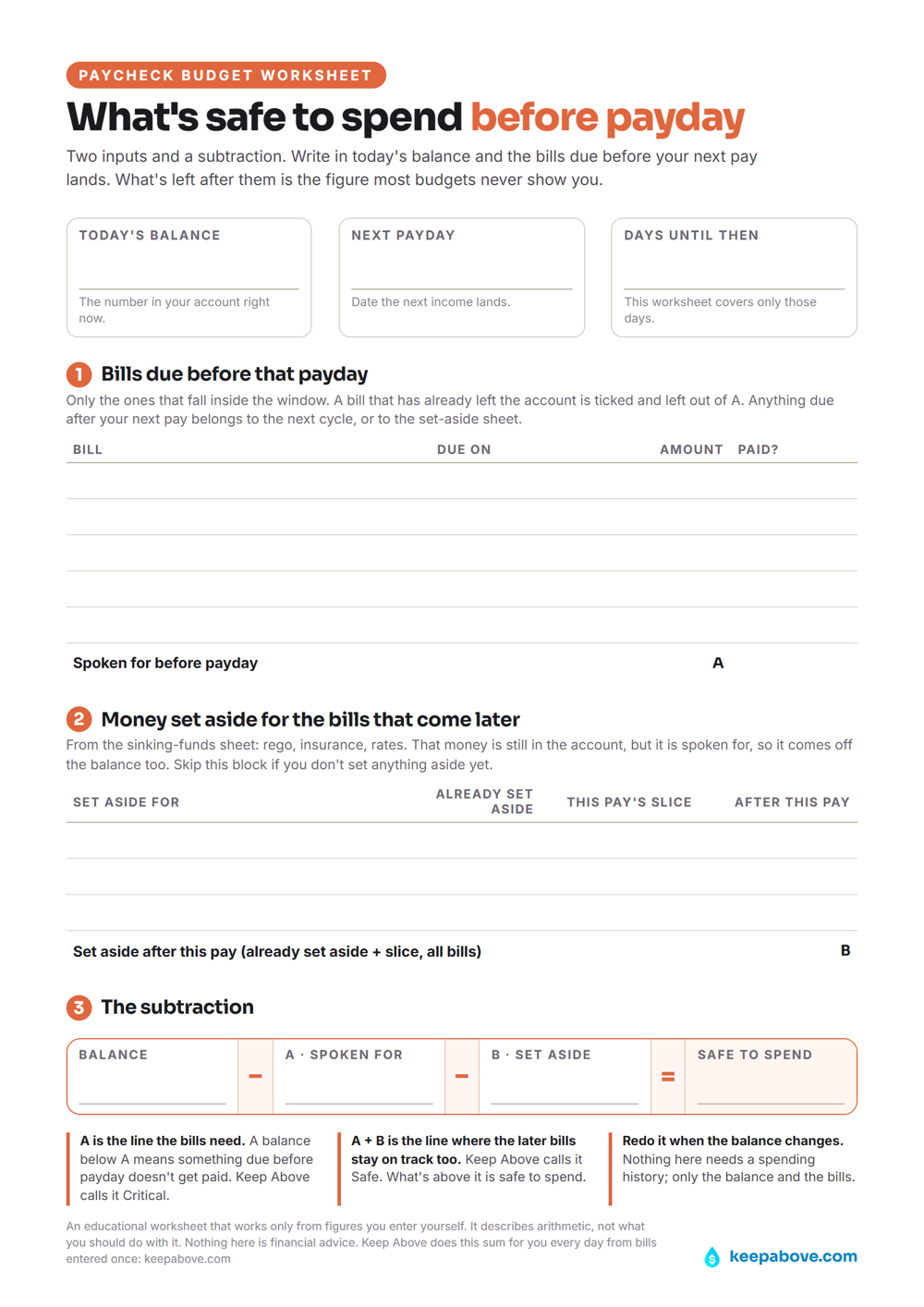
How do you work out what is safe to spend before payday?
Most budgets grade last month. This sheet only looks forward: the days between today and your next pay, and what has to leave the account before then. Two inputs and a subtraction.
Block 1 lists the bills due inside that window and adds them to a single figure, A. A bill that has already left the account is ticked and left out. Block 2 is optional: the money set aside for the bills that come later (rego, insurance, rates), from the sinking-funds sheet, including this pay's slice, added to B. That money is still in the account but spoken for. Block 3 is the subtraction: balance minus A minus B.
What do Critical and Safe mean?
The two lines it produces are the ones Keep Above draws on every screen. A is the level the bills need, which the app calls Critical. A plus B is the level where the later bills stay on track too, which the app calls Safe. What's above Safe is what's safe to spend.
The reasoning behind it is in the blog: Payday to payday. The other two worksheets are on the worksheets page.
Common questions
How much of my balance is safe to spend before payday?
What is left after two subtractions: your balance, minus the bills due before your next pay, minus anything already set aside for bills that come later. The worksheet writes those as A and B, and block 3 is the subtraction. Anything above that figure is not spoken for.
What is the difference between Critical and Safe?
Critical is the level that covers the bills due before your next income arrives; Safe is the higher level where every upcoming bill and goal you have entered is set aside in time. On the worksheet, A is Critical and A plus B is Safe. Keep Above draws both from the figures you enter.
How often do I fill the sheet in?
Once per pay cycle, because the window it covers is today to your next payday. A fresh sheet each pay keeps block 1 pointing at the bills still to leave and block 2 at the slices set aside so far, and a bill that has already left the account is ticked and left out.
Does it work if I am paid weekly or monthly?
Yes. The sheet takes whatever window sits between today and your next pay, so the length of the cycle does not change the arithmetic: the bills inside the window go into A either way. Keep Above works the same way, from the pay dates you enter.
Why does the sheet leave out what I spent last month?
Because it only looks forward. It reads today's balance and what has to leave the account before the next pay, so a categorised record of past spending changes nothing in the subtraction. Keep Above is built the same way and keeps no spending history.
Do I need the app to use the worksheet?
No. The worksheet is a printable PDF that works on its own with a pen: it is free, needs no sign-up and no email address. Keep Above runs the same arithmetic from bills and income entered once, and projects it forward, but the sheet does not depend on it.
Keep Above is an educational planning tool that works only from the figures you enter yourself. The worksheet describes arithmetic, not what to do with it. It doesn't hold, move or access your money, and nothing here is financial advice.